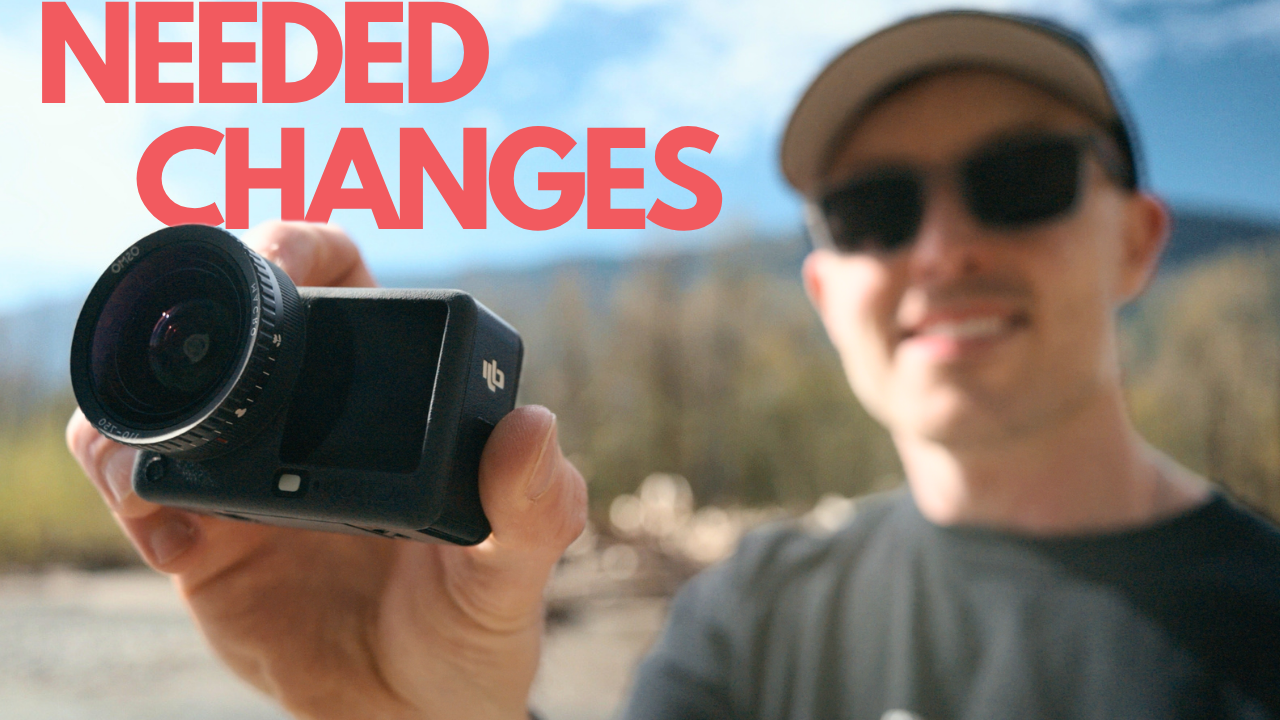
Let's be clear upfront: the DJI Action 6 is a genuinely capable camera. The 8K update was meaningful and showed that DJI is paying attention. But paying attention and actually delivering for the pro-leaning user base are two different things, and right now there's a gap between them that is wide enough to send a lot of people back to the Action 4 — or across the fence to Insta360.
Every issue on this list is firmware-solvable. None of this requires new hardware. DJI's own Pocket 3 already has several of these features, which makes their absence on the Action 6 even harder to justify. Here's the full breakdown.
The oversharpening problem
This is the number one complaint from anyone shooting the Action 6 seriously, and it's been there since launch. Normal mode in particular produces a hyper-processed, almost digital-painting look that makes footage feel unnatural in a way that's immediately obvious when you put it next to competing cameras. DLOG M is better, but it brings its own issues.
There are workarounds — lowering the in-camera noise reduction and sharpness settings, shooting DLOG M, or shooting 8K where the aggressive denoising seems to soften things slightly. But these are workarounds, not solutions. The 8K mode appears softer largely because of how aggressively it's processing the image, not because of any genuine optical improvement. The fix is simple: expand the pro menu and give users enough sharpness and NR control to dial in the image themselves.
"Most people selecting pro settings are responsible enough to know how to use them. Stop hiding the controls."
The full firmware wishlist
These are the specific features and fixes that need to be addressed. DJI's support team has been active in the comments on recent Action 6 coverage — now is as good a time as any to put this on record clearly.
1
Linear dewarping mode
There is currently no linear dewarp setting, meaning vertical lines bow slightly in most shooting modes. Portrait mode comes closest but adds excessive saturation and removes manual controls. The ask: a proper linear mode at around 17–18mm — 20mm is cropped too tight and loses quality.
2
1-inch sensor mode with the macro lens
Many people bought this camera specifically for the 1-inch sensor mode. The macro lens forces you into 16:9 or 4:3 aspect ratios and strips out that mode entirely. DJI could potentially limit recording time in that mode to manage the bitrate, but the feature needs to exist.
3
Restore horizon steady and horizon balancing with the macro lens
Both modes disappear when the macro lens is attached. For chest-mount and neck-mount shooting — exactly the kind of creative use case this lens is ideal for — these modes are essential. Without them the camera sways heavily and the macro lens becomes unusable for that mounting style.
4
2x lossless crop with the macro lens
Another feature stripped when the macro lens is attached. Quality loss aside, it's a useful tool for a lot of users and its absence feels arbitrary. A recording time cap could solve any bitrate concerns.
5
Focus peaking on the front screen with the macro lens
Focus peaking exists on the rear screen when the macro lens is attached — but not on the front screen, which is what most vloggers are actually watching. The peaking that does exist is also far too sensitive, showing almost the entire frame as in-focus at f/2 when it clearly isn't. It needs to be added to the front screen and its sensitivity needs to be turned down significantly.
6
Focus peaking in DLOG M
Focus peaking is disabled entirely in DLOG M. There is no good reason for this. It needs to be there.
7
Zebras
A camera that predates the Action 6 by a decade had zebras. The Action 6 doesn't. For anyone trying to gauge exposure accurately — especially on that tiny low-resolution front screen — this is a genuine daily frustration. Add zebras.
8
Cancel clip by pressing the shutter button
The Pocket 3 has this. It's one button press and it saves enormous amounts of time when you've blown a take and don't want to keep the clip. There is no reason this isn't on the Action 6.
9
Pause and resume recording
Insta360 has had this for years. It speeds up workflow significantly for anyone who wants to work within a single continuous clip. It would also help photo shooters — the current shutter button stacks three clips and introduces motion blur as a result.
10
ISO and white balance swipe controls
A simple swipe gesture on the touchscreen to adjust ISO one way and white balance the other. Small quality-of-life change, big impact on usability mid-shoot.
11
Fix auto ISO metering logic
The camera currently bumps ISO before adjusting shutter speed and aperture, which is the wrong priority order. Outdoor photo shooting regularly defaults to ISO 800 when ISO 100 would be correct. An adjustable auto ISO range — say 100–400 instead of the default 100–800 — would make a significant difference for stills shooters.
12
Fix auto ISO flickering in DLOG M video
The auto ISO instability in DLOG M — particularly when pointing toward a bright sky — causes heavy flickering that makes the footage unusable. Normal mode has improved slightly but DLOG M remains a genuine problem. Until this is fixed, DLOG M at night is not recommended.
13
Improve auto white balance stability
Despite a dedicated white balance sensor, the auto WB shifts enough that locking white balance manually is currently the most reliable approach. Better AWB logic — or at minimum a sensitivity toggle (low / medium / high) — would help a lot.
14
Adjustable metering modes
Insta360 cameras let you meter for face or scene. The Action 6 does not offer metering mode selection at all — in a camera that DJI markets at pro-leaning creators, this is a significant gap. DJI owns Hasselblad. Proper metering modes are a baseline expectation.
15
HDR exposure control options
The camera's tendency to aggressively expose shadow areas produces an HDR-heavy look that many users don't want. A simple set of exposure style presets — natural, medium, HDR — would let users choose how the camera handles dynamic range rather than having it decided for them.
16
LUT preview in DLOG M
You can record with a preview LUT applied, but you can't preview it during playback. Reviewing DLOG M footage means watching a flat, grey image on the screen. This seems like an oversight more than an intentional decision, and it should be a straightforward fix.
16
Fixes needed via firmware
4.5 mo
Since launch — issues still unresolved
0
Of these require new hardware
The DJI support team was active in the comments on the last Action 6 video published here — which is actually a good sign. DJI is listening. The window to push this feedback directly to the people who can act on it is open right now. If you want to see any of this addressed, make some noise in the comments below and on DJI's own channels.
The bottom line
None of this is asking for the impossible. Every feature on this list already exists somewhere — in DJI's own Pocket 3, in Insta360's lineup, or in cameras from a decade ago. The Action 6 has strong bones: the sensor is capable, the stabilisation is excellent, and the 8K update demonstrated that DJI is willing to invest in this camera post-launch.
What it still lacks is the depth of pro controls that the people most likely to buy it actually need. A single focused firmware update addressing the sharpening, the DLOG M focus peaking, the metering modes, and the macro lens restrictions would go a long way. The community is watching — and DJI's support team apparently is too.